Project A
B2B prospecting platform: intent signals, contact enrichment and AI-generated outreach sequences with source verification. Designed, built and shipped solo.
Where it started
Project A is a B2B sales-prospecting tool I designed, built and shipped on my own. The initial urge: to build a real product end to end, not a throwaway demo, but something that stands up, from positioning all the way to deployment.
I took inspiration from Zeliq, a real player in the market, and made a deliberate bet: rather than skim across ten features, push one all the way (AI message generation) and build a credible backbone around it. Everything else in the product exists to lead the user, naturally, to that centerpiece.
The problem
A salesperson's day (an "SDR") comes down to three moves: find who to contact, get their contact details, then write a message worth replying to. In practice, they spend mornings hunting and afternoons writing messages nobody opens. The information that would make those messages relevant (a role just opened, a funding round, a LinkedIn post) is scattered everywhere, and stale by the time you find it.
The product, page by page
Here's how a salesperson uses Project A, in order.
The idea that ties it together: signals
You don't contact someone at random: you contact them because something is happening on their side. A funding round, a new role, a hiring push, a LinkedIn post: these are intent signals. They do two jobs: filter the list to find who to reach out to right now, and give the AI a concrete reason to write.
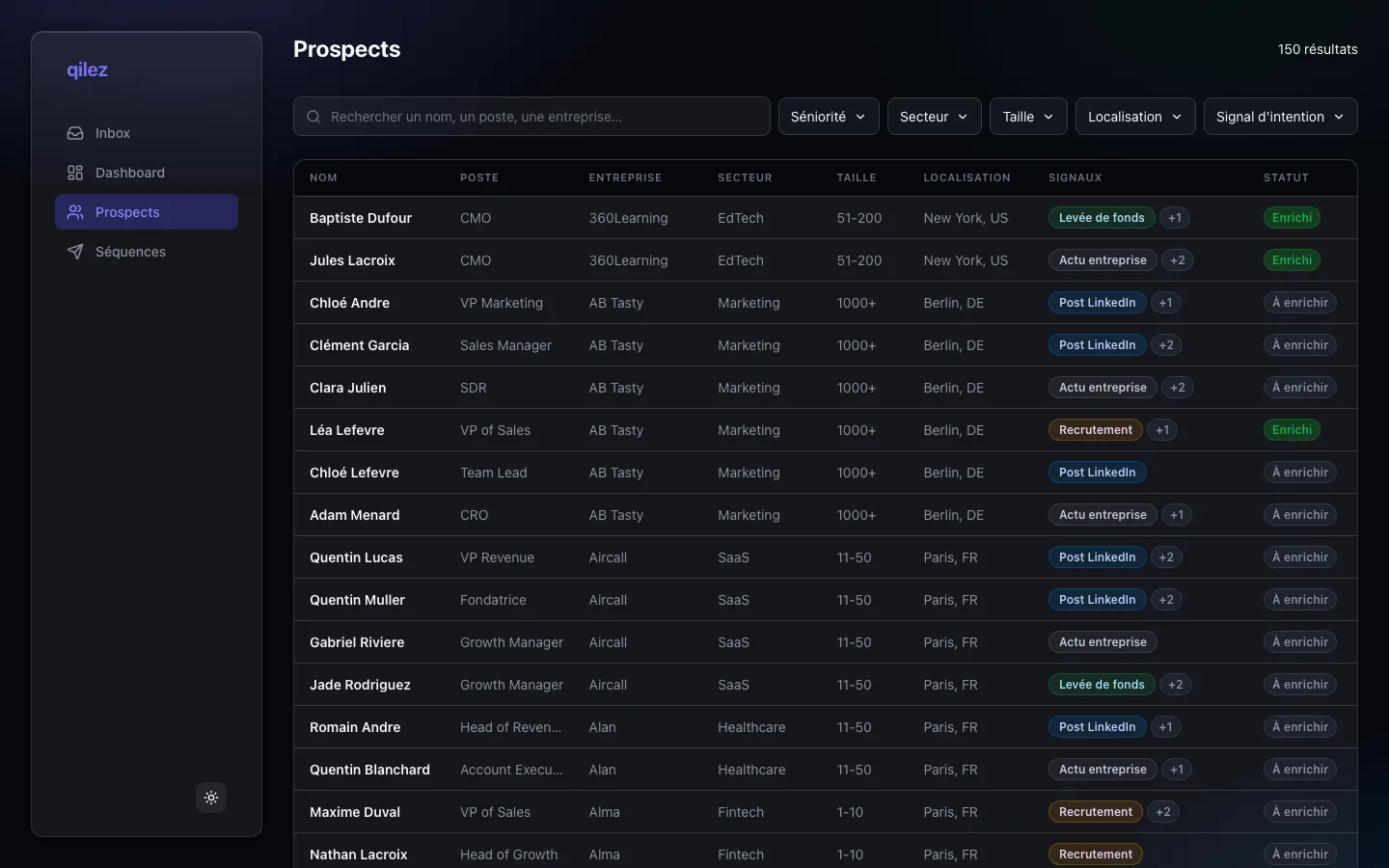
1. Find: the prospect list
A database of around 150 prospects, filterable by seniority, industry, company size, location and, above all, by signal type. A detail I like: the filters live in the URL. Copy the link to a filtered search, share it, and the other person sees exactly the same result.
2. Enrich: get the contact details, no black box
A name isn't enough: you need the email and phone number. A click on "Enrich" queries a waterfall of data providers, tried one by one until the first that finds a hit. What matters isn't just the result, it's the transparency: the app shows where the data came from (Datagma missed, People Data Labs found it), with a confidence score. No black box: the user sees the data and its provenance.
3. Generate: an outreach sequence, written by AI
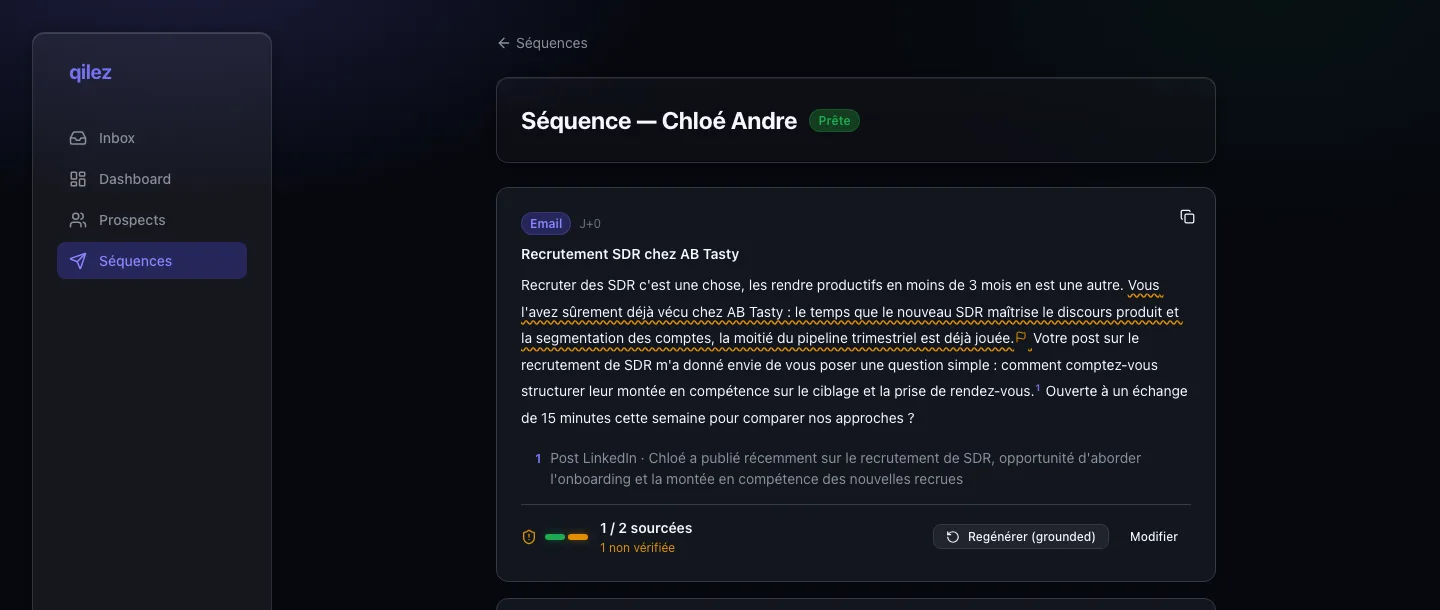
This is the heart of the product. One click, and the AI builds a complete outreach sequence: it picks the number of steps, the channels (email, LinkedIn), the delays between messages, then writes each one live, in front of the user. The text streams in, like ChatGPT.
4. Verify: the proof, sentence by sentence
Generative AI sometimes invents facts; that's a given. My product answer isn't "trust me," it's "here's the proof." Once a message is written, a second, independent AI reads it back and classifies every sentence: sourced (backed by a real signal, cited as a footnote), neutral (a pleasantry, a question), or unverified (flagged with a warning). A counter shows the ratio of sourced sentences, and a "Regenerate (grounded)" button rewrites the message while banning the unsupported claims. Hovering a sentence lights up the signal that justifies it, and vice versa.
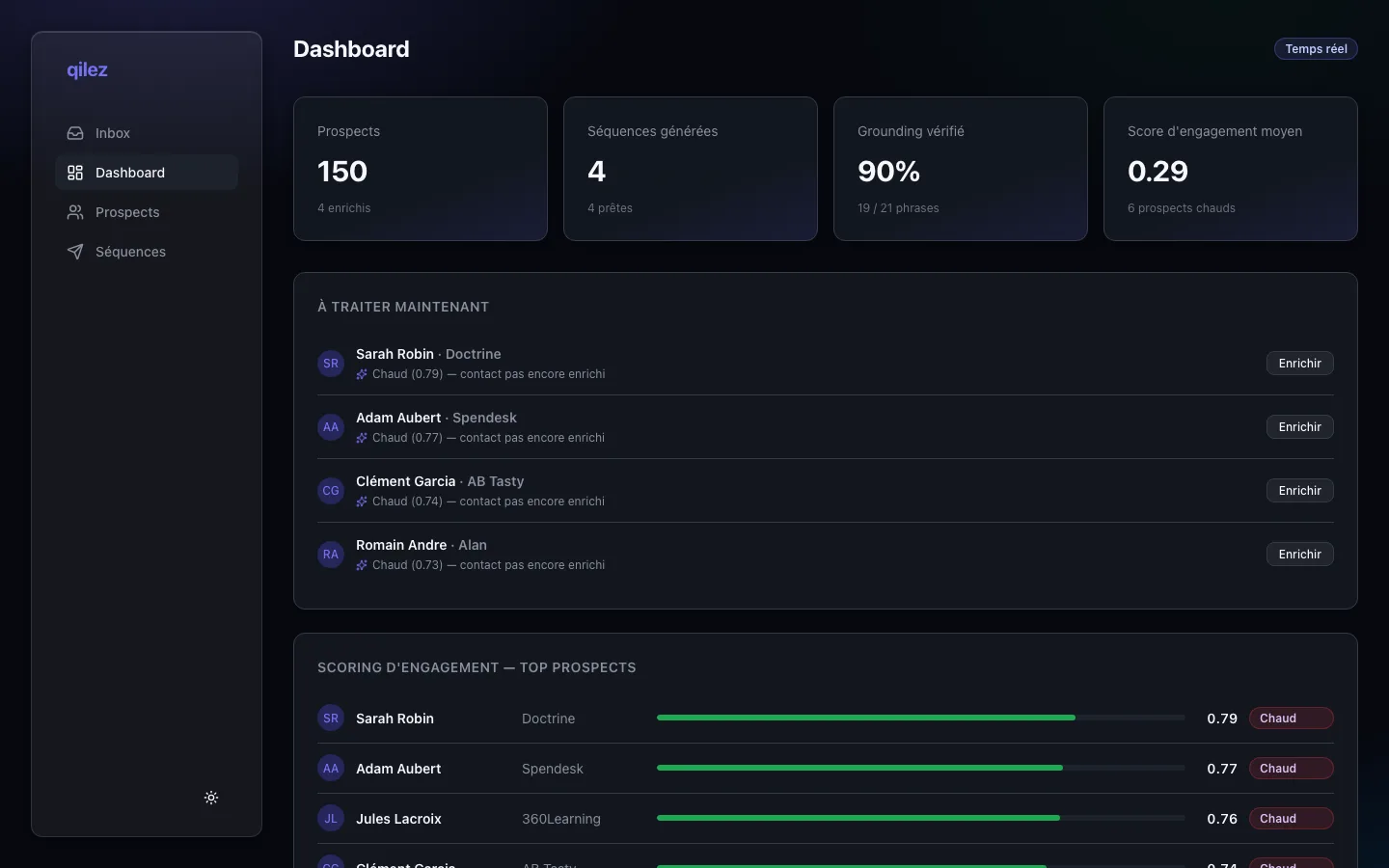
Finally, a dashboard (the screen at the top of this page) pulls it all together: KPIs, the verified grounding rate, and an engagement score that ranks prospects hot / warm / cold and recommends the next action to take.
Under the hood
For the curious, here are the technical choices that took the most thought, with the alternative I set aside each time.
A full-stack architecture, no separate backend
The app runs on TanStack Start, a full-stack framework: the same project holds the React pages and the server code (the API, database access, the AI calls). The browser never talks directly to the database or to Anthropic's API: everything goes through the app's server, which acts as a gatekeeper. Only one service runs on its own, and that's by design: the enrichment microservice.
The NestJS microservice: wanting to try the framework
I wanted to get properly hands-on with NestJS on a real slice of product, a framework I meant to explore for real, not just skim in a tutorial. The trick was introducing it sensibly: rather than building the core on it, I handed it a bounded, isolated brick, the enrichment waterfall. The AI generation, the centerpiece, stays on my main stack (React, tRPC); NestJS takes a self-contained piece where I can experiment without putting the rest at risk.
That split makes sense beyond the exercise: it's exactly the kind of component you isolate in production. Stateless (no database, just a prospect in and a result out), it could scale and deploy independently. Its randomness is even deterministic: the same prospect always yields the same result, which keeps behavior reproducible and the service testable.
Alternative set aside: keep everything inside the app, as a single function. Shorter, but I'd have skipped NestJS entirely, and the chance to reason about real service boundaries.
AI generation: three passes, not one
A single call doing everything would do it badly. I split the work into three steps, each with the right model: plan (the AI decides the sequence structure, returned as strictly constrained JSON), write (the text, as a stream), audit (a different, smaller and cheaper model reads back and grades each sentence).
The key is grounding: I give the writer model only the real signals as a source of facts, and forbid it from inventing others. The less latitude it has, the less it hallucinates. And the auditor is a second model: asking the writer to grade itself would be a conflict of interest; a model that didn't write the text does a real cross-check.
Streaming: SSE over WebSockets
During generation, the server talks and the browser listens: a one-way stream. I chose Server-Sent Events: plain HTTP, no real-time server to stand up alongside the app, it crosses hosting platforms without configuration and reconnects on its own. A WebSocket would have added a real piece of infrastructure for a bidirectional capability I never use here. You'd reach for it the moment real-time becomes collaborative, not for downstream streaming.
The design system: built by hand
No off-the-shelf component library: everything is built and documented in Storybook, from design tokens described in OKLCH, a color format that expresses lightness the way the eye perceives it. In practice that keeps contrast consistent across hues (accessibility by construction) and makes dark mode almost free: a simple lightness shift at constant hue. It's the kind of foundation that makes the project feel like a finished product rather than a prototype.
What this project demonstrates
A complete product, shipped by one person: positioning, design, front end, back end, database, AI integration with guardrails, production deployment. The kind of project I enjoy: taking a subject end to end and pushing it all the way to something polished.